
Does Squarespace Have a CRM? What Squarespace Contacts Can and Can't Do

Does Squarespace have a CRM? Yes and no. Squarespace has a built-in Contacts panel that works like a lightweight CRM: it collects everyone who buys, subscribes, joins, donates, or fills in a form, and lets you tag, note, and segment them, and its Invoicing tools add projects, contracts, and payments. What it doesn't do is manage the day-to-day work you do for a client. For stores that's rarely a problem. For web designers, it's the part that matters most.
The Short Answer
Squarespace doesn't sell a product called a CRM, but its Contacts panel does the core job of one, and Invoicing adds projects, proposals, contracts, and payments for service businesses. If you need a list of your customers and a way to bill them, Squarespace has you covered. If you need to manage client requests, feedback, and billable hours, you'll need something alongside it.
What Squarespace Contacts Does Well
Every contact in one list
The Contacts panel gathers customers, newsletter subscribers, members, donors, and form submitters automatically. You don't import anything; people appear as they interact with your site.
Tags and private notes
Each profile can carry tags, such as "lead", "active client", or "past client", and private notes only you can see. That's enough to track where someone stands in a simple pipeline.
Segments for email
You can filter contacts by details like total spent or number of orders, and Squarespace builds Smart Segments such as repeat customers and first-time customers. Those segments feed straight into Squarespace Email Campaigns.
Purchase history
For commerce sites, each profile shows orders and engagement, so you can see who your best customers are without leaving Squarespace.
The Other CRM-Like Tools Inside Squarespace
Contacts isn't the only part of Squarespace that touches customer relationships. Depending on the site, a few other built-in tools fill in pieces of the picture:
Email Campaigns sends newsletters and announcements to the segments you build in Contacts.
Squarespace Scheduling handles appointment booking, with client intake forms and reminders, for businesses that sell time.
Member Areas put content behind a login or a subscription, with members listed in Contacts.
Forms feed submissions straight into Contacts, so a contact form doubles as a simple lead capture.
Invoicing is the closest Squarespace comes to a service-business CRM. It lets you create projects for clients, set milestones, send proposals, estimates, and contracts, and then invoice and collect payment with automatic reminders.
Put together, that's a capable toolkit. For a photographer or consultant who sells a defined package, Contacts plus Invoicing covers a lot of what a CRM does.
Where Squarespace Stops
Contacts and Invoicing are built around the paperwork of a client relationship: who they are, what you agreed, and what they owe. The day-to-day work in between is where the gaps show, especially for web designers:
There's no ongoing conversation with a client, only form submissions and email
There's no way for a client to raise a request or a revision against their site
There's no time tracking, so hourly work has to be timed somewhere else
There's no feedback tied to a specific spot on a page
None of that is a flaw. Squarespace handles the business side of a project well. But if your work is a stream of small changes to a client's website, you need a record of the work itself, not just the contract and the invoice.
Signs You've Outgrown Squarespace Contacts
You probably need more than the Contacts panel if any of these sound familiar:
You keep a separate spreadsheet of clients and what you're doing for them.
Client requests arrive by email, text, and DM, and you copy them into a list.
You've lost track of whether a piece of work was approved, done, or billed.
You time your work in one app and total it up by hand before invoicing.
Every one of those is a relationship-management problem that a customer list can't solve, because the thing you're managing is the work, not the contact.
Who Needs More Than Squarespace Contacts
Stores, newsletters, and membership sites usually find Contacts is plenty. Consultants, coaches, and agencies often add a dedicated CRM for their pipeline.
Web designers are a special case. Your clients' Squarespace sites are the project. The conversation, the feedback, and the billable work all happen on that site. A general-purpose CRM keeps the contact details somewhere else entirely and still leaves you chasing feedback by email.
Squarepaste: The Client Layer for Squarespace Designers
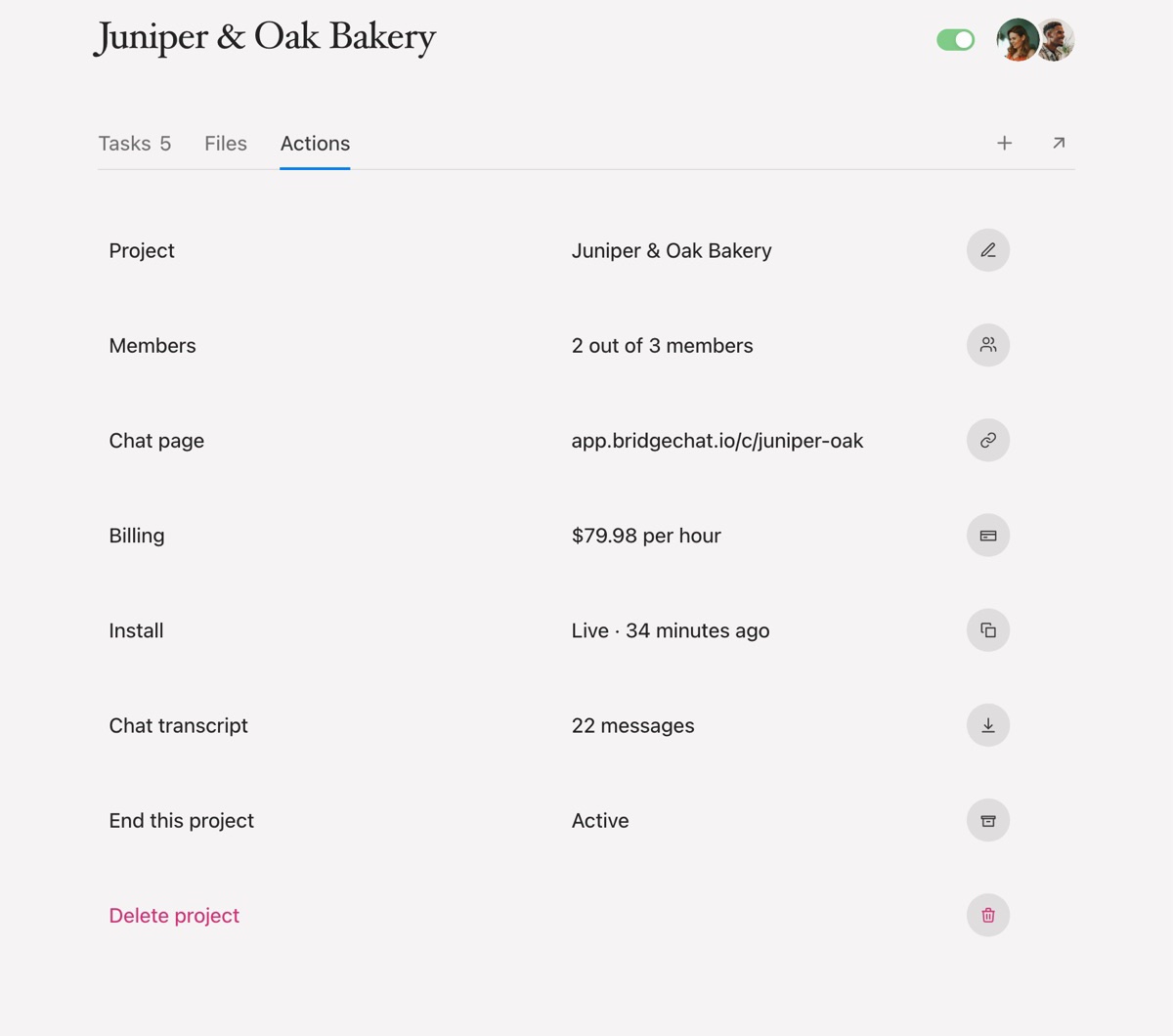
Squarepaste fills the gap for designers who build on Squarespace. It works like a CRM built around the website itself: every client is a site in your dashboard, and everything about that relationship hangs off it.
A private chat on the client's own site, where they message you with text, voice notes, and files.
Tasks pinned to the exact spot on the page, with an automatic screenshot, moving through a board with clear statuses.
A built-in work timer on each task, with hourly or fixed pricing. If billing by the hour matters to you, our guide to choosing a CRM with time tracking covers what to look for.
Client payments through Stripe, so a finished task can be paid for on the same site it was requested on.
A client portal and email notifications, so nothing depends on the client remembering to check in.
Setup is one line of code in Squarespace's Header Code Injection. Your client doesn't create an account or download anything.
Do You Need a Separate CRM at All?
Not always. A traditional CRM is built around a sales pipeline: leads, deals, stages, and follow-up reminders. If you're running outbound sales with a long list of prospects, a dedicated CRM earns its subscription.
Most web designers don't work that way. New clients arrive by referral, and the relationship is the project itself. What needs managing is the work after the contract is signed: requests, revisions, hours, and payments. For that, a client tool built around the website usually does more than a sales CRM, and your client is far more likely to use it.
A simple way to decide: if your problem is finding clients, look at a sales CRM. If your problem is keeping clients organised once you have them, look at a client tool.
Using Squarespace Contacts and Squarepaste Together
They don't overlap. Your client keeps using Squarespace Contacts for their own customers and newsletter, and you can keep using Squarespace Invoicing for proposals and contracts. You use Squarepaste for the day-to-day relationship with the client: the requests, the feedback, the time, and paying for each piece of work. Squarespace handles the site's audience and the paperwork. Squarepaste handles the work.
Common Questions
Is Squarespace Contacts free? It's included with Squarespace sites. Email Campaigns, which uses your segments, is a separate Squarespace add-on.
Can Squarespace send invoices? Yes. Squarespace Invoicing handles proposals, estimates, contracts, invoices, and payment reminders for client projects. It doesn't track time, so hourly work has to be timed elsewhere first.
Can Squarespace connect to an outside CRM? Yes. Squarespace offers developer APIs and many CRMs connect through integrations or form tools, though that usually means another subscription and another place to check.
Does Squarepaste replace Squarespace Contacts? No. It manages your work for the client, not the client's own customers.
How much does Squarepaste cost? Plans start at $19 a month for five client sites, with Connect at $39 for 25 sites and Atlas at $99 for unlimited. Every plan has a 14-day free trial. See pricing for details.
The Bottom Line
Squarespace does have a CRM, in the sense that matters for most sites: a tidy, automatic list of everyone who interacts with the site, plus invoicing for service work. What it doesn't manage is the work in between: the requests, the revisions, and the hours.
If you build Squarespace sites for clients, pair it with a tool built for that relationship. Squarepaste keeps the conversation, the feedback, the hours, and the payment on the client's own site, which is exactly where the work happens.