Manage multiple Squarespace websites
Squarepaste is designed to help you manage multiple Squarespace client websites from one dashboard. Each website is a project with its own chat, tasks and files, and you can see all of them at a glance.
Manage multiple Squarespace websites
Plan Limits
Your plan determines how many Squarespace websites you can manage:
- Link Plan: Up to 5 Squarespace websites
- Connect Plan: Up to 25 Squarespace websites
- Atlas Plan: Unlimited Squarespace websites
One Project per Website
Each Squarespace website you connect is a project in Squarepaste:
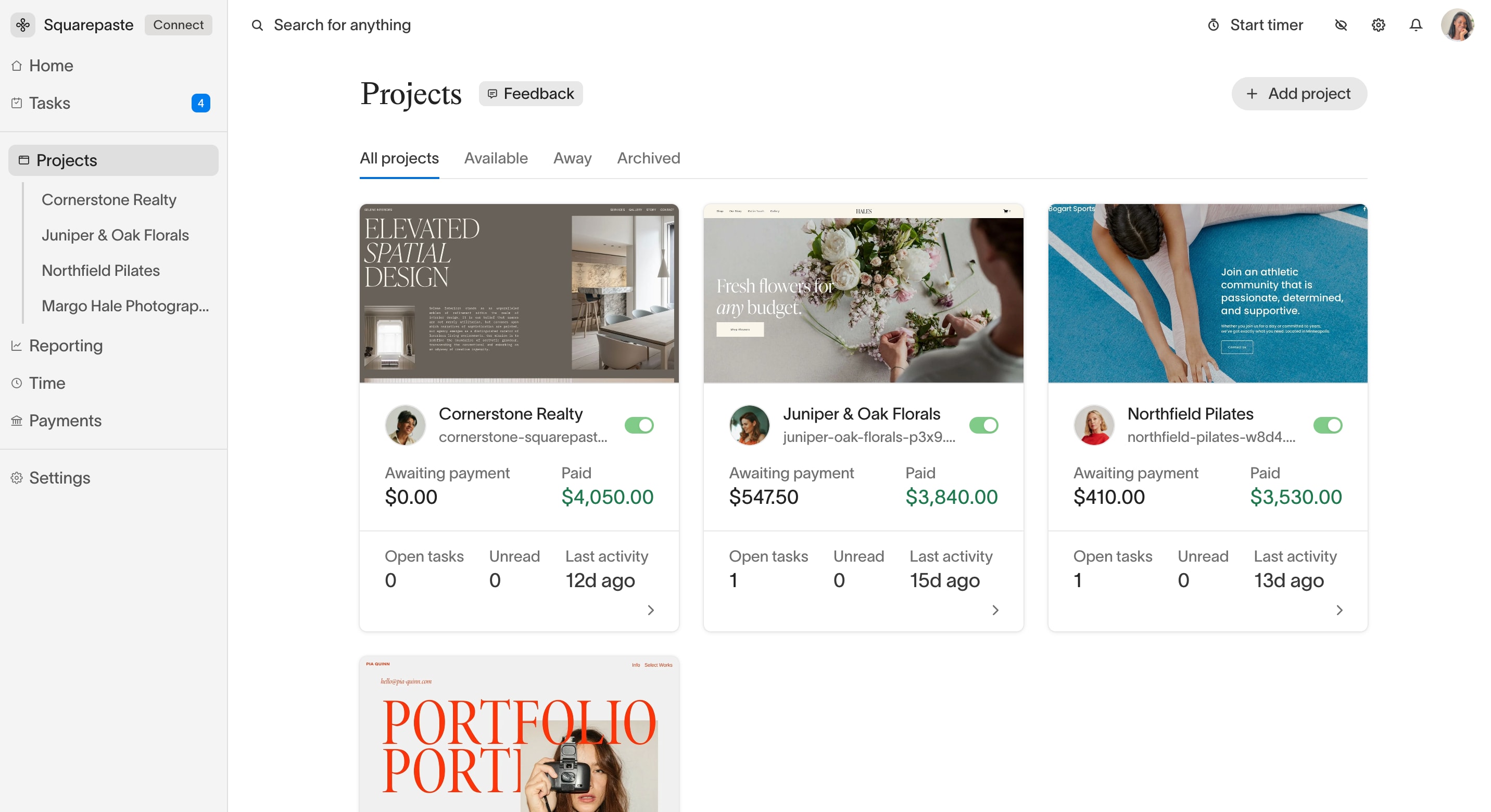
- Each project has its own page with Tasks, Files and Actions tabs and the chat on the right (on mobile, the chat has its own Chat tab)
- Each project has its own chat, its own tasks and its own members
- Projects in the sidebar expands into a list of your projects, so you can jump between them
Keeping Track of Every Project
When you run several projects at once:
- The Projects page shows a card for each project, with its unread messages, so you can see where to reply first
- Its tabs – All projects, Available, Away and Archived – narrow the list
- The Tasks page shows the tasks from every project together
Customization Per Project
Each project can have its own widget settings:
- A widget color for each project
- Its own stealth mode setting
- One custom icon for all your projects, set once under Settings → Profile (Connect and Atlas)
Tip: Check the Projects page when you sit down to work. The unread count on each card shows which clients are waiting on a reply.