A Pastel alternative that lives in Squarespace.
Pastel shows your client a copy of their site to comment on. Squarepaste puts the feedback, the conversation and the follow-up work inside the Squarespace editor they already use.
Squarepaste and Pastel, Side by Side
Pastel and Squarepaste both let a client point at a spot on a website and say what should change. Pastel does it for any site, and for PDFs, images and design files too. Squarepaste does it only for Squarespace, and then carries on past the comment: the chat, the task list, the time it took and the payment.
Pastel details from usepastel.com/plans and its help center, checked October 6, 2026.
Why Squarespace Designers Choose Squarepaste
The feedback happens on the real site
Pastel loads your client’s site inside its own canvas so people can comment on it. That works on any platform, but a password-protected or member-only page means switching modes and logging in inside Pastel first. Squarepaste is already inside the Squarespace editor your client logs in to, so it sees exactly the page they’re editing, drafts included.
Comments turn into work you can bill
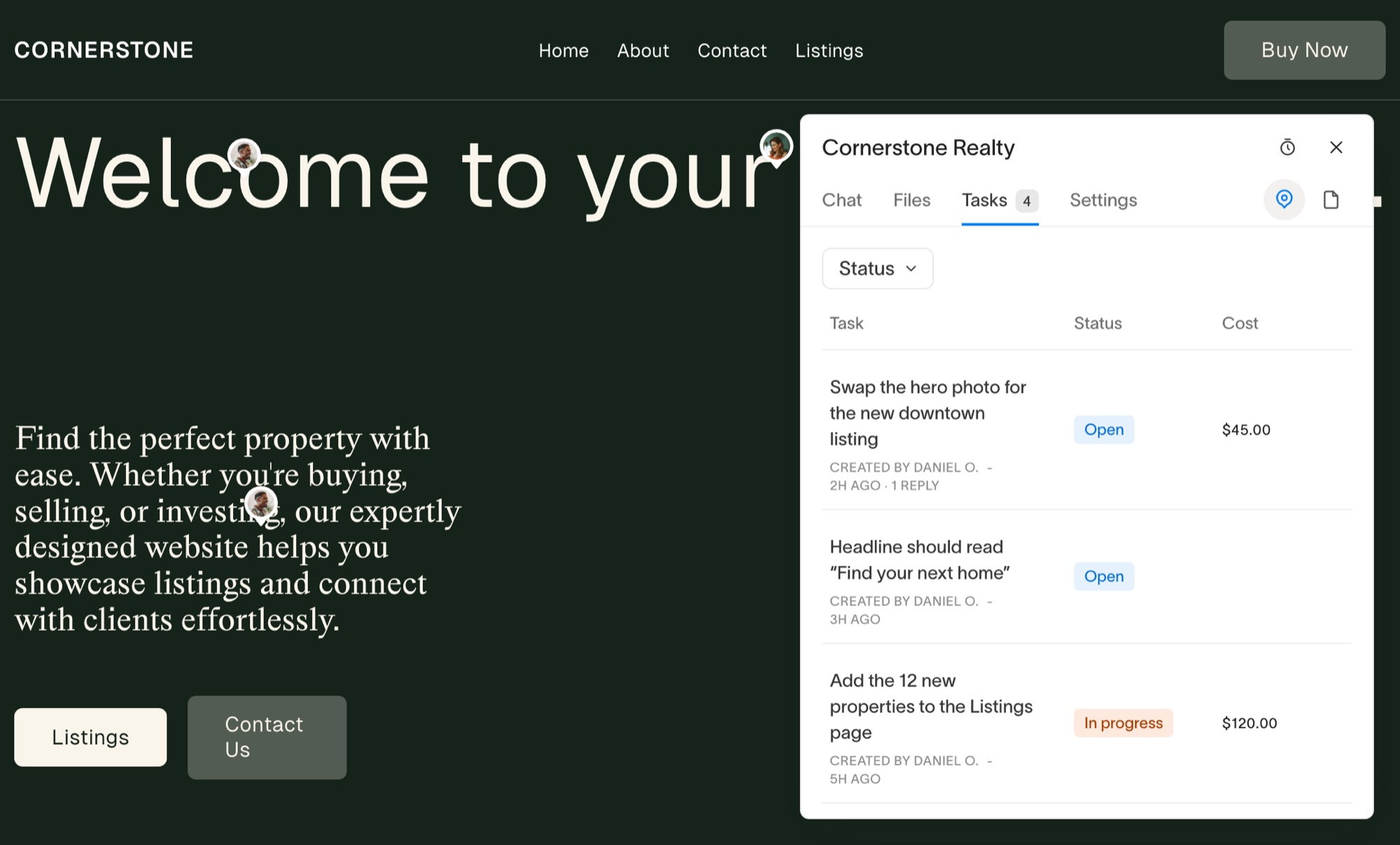
In Pastel, a comment is resolved when it’s done. In Squarepaste, a pinned comment is a task: it has a status, can sit on a board, can run a timer, and can carry a fixed or hourly price your client pays from the task. That’s the difference between collecting revisions and getting paid for the ones outside the original scope. See how client payments work.
One place to talk
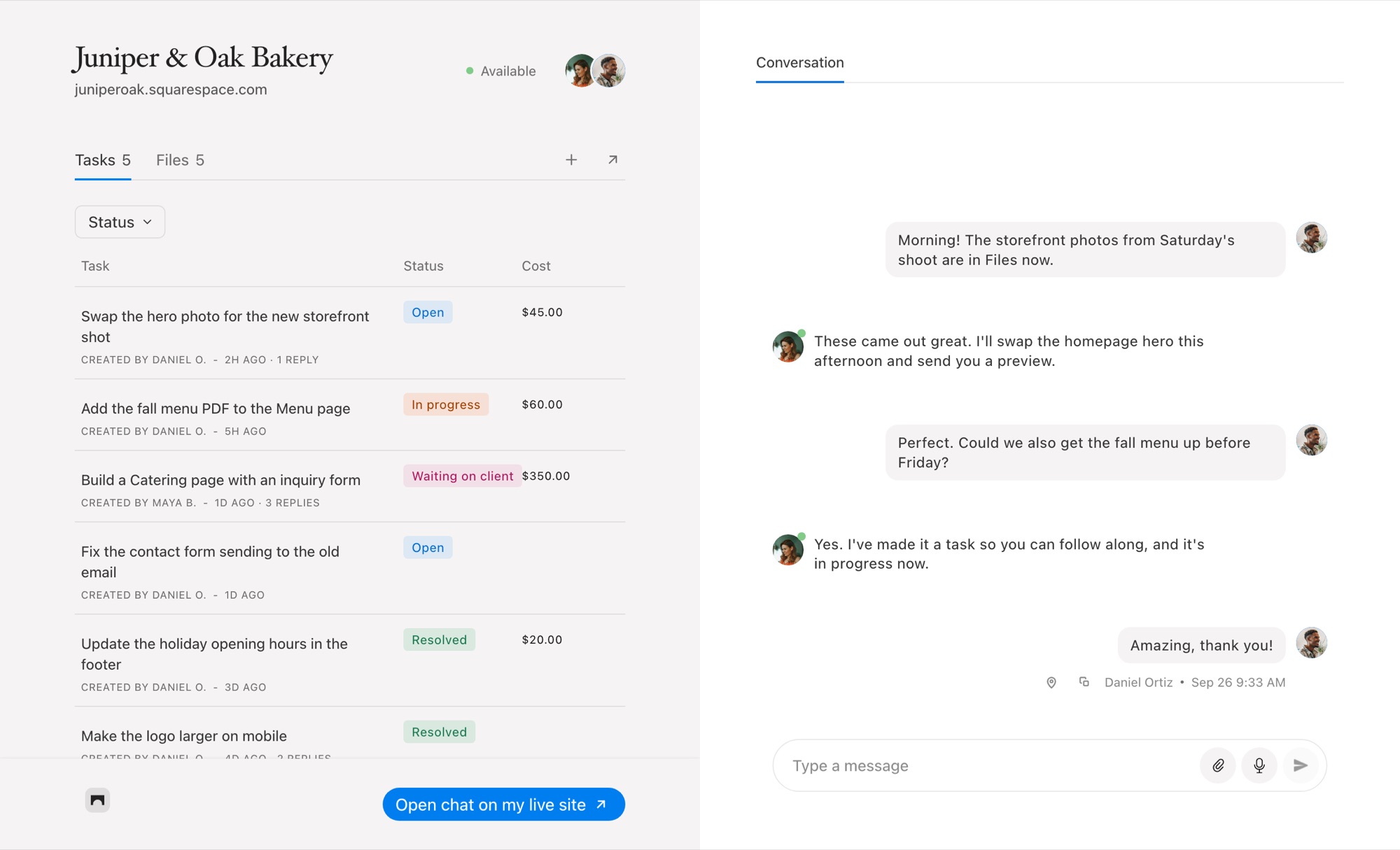
Most client conversations aren’t about a specific pixel. Squarepaste gives every project a real chat next to its tasks, with files and voice notes, and any message can become a task.
Priced by client sites
Pastel counts users and active canvases. Squarepaste counts the Squarespace sites you look after, and every client on them can leave as much feedback as they want.
When Pastel Is the Better Choice
Choose Pastel if you review sites on WordPress, Webflow or anything other than Squarespace, if you also need sign-off on PDFs, images or design files, or if your reviewers are stakeholders who will never log in to the site’s editor. Its free plan is also a fair way to run a single review without paying anything.
If every site you build is on Squarespace and the feedback is coming from the client who owns it, Squarepaste covers the review and everything after it.
Common Questions
Is Squarepaste cheaper than Pastel?
Squarepaste starts at $19 a month for five client sites. Pastel has a free plan with one active canvas, and its Pro plan is $35 a month, or $29 a month billed yearly.
Can my clients leave feedback without an account in Squarepaste?
They need to be members of the project, but there’s no password. You invite them by email and they sign in with the link Squarepaste sends.
Does Squarepaste capture screenshots like Pastel?
Yes. Every task pinned on the page arrives with a screenshot of what your client saw, plus their browser, operating system and window size.
Does Squarepaste work on WordPress or Webflow?
No. Squarepaste is built only for Squarespace sites.




Chat directly
on Squarespace.
Squarepaste helps you stay connected with the clients you manage. Chat directly and make every conversation count.