How much does a Squarespace website cost?
A Squarespace website costs $228 to $1,188 a year if you build it yourself, plus a domain after the first year. Hiring a designer adds a one-off build fee, and the changes after launch add more. Here's every cost, line by line.
The Short Answer
- Build it yourself: $228 a year on the Basic plan, or $348 a year on Core, billed annually. The domain is free for the first year and about $20 a year after that.
- Hire a designer: the plan, plus a one-off build fee that commonly runs from a few hundred dollars to several thousand, depending on the number of pages and how custom the design is.
- After launch: changes, new pages and seasonal updates, either done by you or paid for by the change, by the hour or through a monthly care plan.
Most small business sites end up on Core. It's the cheapest plan with no transaction fee on store sales and the one that allows custom code, which many add-ons and tools need.
Squarespace Plan Prices
Squarespace has four plans. The price drops if you pay for a year up front. These are the US prices on squarespace.com/pricing as of October 2026:
- Basic: $19 a month billed annually ($228 a year), or $25 month to month.
- Core: $29 a month billed annually ($348 a year), or $39 month to month.
- Plus: $49 a month billed annually ($588 a year), or $65 month to month.
- Advanced: $99 a month billed annually ($1,188 a year), or $139 month to month.
Every plan starts with a 14-day free trial, with no card needed. Squarespace raised prices in 2026, so older articles quoting lower figures are out of date.
Basic doesn't include Code Injection, so you can't add custom scripts such as analytics tags, chat widgets or most third-party tools. If the site will need any of those, budget for Core from the start rather than upgrading later.
What Else You’ll Pay For
The plan is the biggest line, but not the only one:
- Domain: annual plans include one domain free for the first year. After that, common endings like .com renew at about $20 a year through Squarespace.
- Email: a professional address through Google Workspace costs $84 per user a year on the Starter plan. Core, Plus and Advanced include one Starter user free for the first year.
- Transaction fees: Basic charges 2% on store sales; Core and up charge none. Digital products and memberships carry their own fee: 7% on Basic, 5% on Core, 1% on Plus and none on Advanced.
- Card processing: 2.9% + $0.30 per payment on Basic and Core, lower on Plus and Advanced. This is separate from the transaction fee.
- Scheduling: Acuity Scheduling, Squarespace's booking tool, starts at $16 a month billed annually.
- Templates: Squarespace's own templates are free. Third-party designer templates are a one-off purchase; ours are $129.
- Plugins and custom code: many Squarespace plugins are one-off purchases, and some are free. Most need Core or higher.
What a Squarespace Designer Costs
There's no standard price, and published figures vary widely. As a rough guide: freelance marketplaces such as Fiverr report an average of around $700 for a Squarespace design job, and experienced US Squarespace professionals commonly charge $45 to $70 an hour, with niche specialists charging more. Squarespace's own Marketplace of vetted experts doesn't publish starting prices; you send a brief and get quotes.
What moves the price most:
- Number of pages, and whether each needs its own layout.
- A template adapted to your brand, or a design built from scratch.
- A store, bookings, memberships or other features beyond pages.
- Who writes the words and supplies the photos. Content is the most common cause of delays and extra cost.
- How many rounds of revisions are included.
Ask every designer for a written scope: the pages, the features, the revision rounds, and what happens to the price if you add something later. Two quotes that look far apart are often quoting for different things.
Designers in the Squarespace Circle partner program can sometimes get you a discount: Circle members at Gold level and above get 20% to 25% off new annual subscriptions they set up for clients.
The Cost Nobody Budgets For: Changes After Launch
A website is never finished. A new service, a price change, a seasonal banner, a menu that sits wrong on a phone: small changes keep coming, and they're the cost most quotes leave out. If you're not making them yourself, there are three common ways to pay for them:
- Per change: each request gets a fixed price before work starts. Good when changes are occasional.
- By the hour: the designer tracks time and bills it. Fair for larger or unpredictable work.
- A monthly care plan: a set fee covering a number of hours and a regular check of the site. Good when changes are frequent.
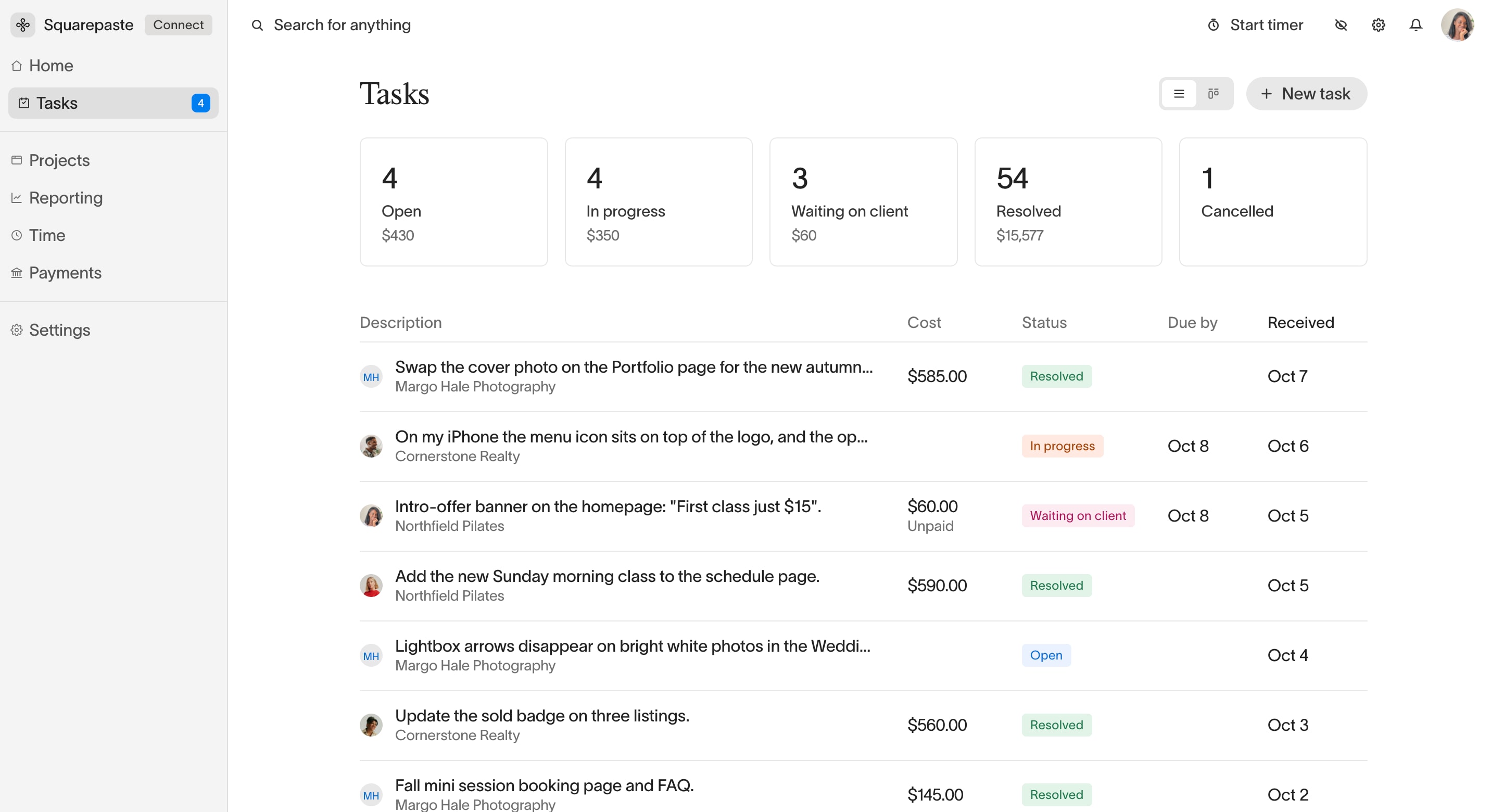
Whichever model you use, agree the price of a change before the work begins. It's the simplest way to keep a website's running cost predictable.
How to Keep the Cost Down
- Pay annually. It saves about 25% to 30% on every plan compared with month to month.
- Pick the plan for what the site needs now and in the next year, not every feature you might use one day. Upgrading is quick.
- Have your content ready before the build starts: text, photos, logo and page list. See how to collect content for a Squarespace site.
- Start from a template close to what you want. Adapting a good template costs far less than designing from scratch.
- Learn to make the small edits yourself, and keep your designer for the work that needs them.
For Designers: Get Paid for Every Change
If you build Squarespace sites for clients, the build fee is easy to quote. It's the changes after launch that slip through: a request by text, a quick fix by email, none of it billed. Squarepaste puts those requests in one place and gets them paid.
- Clients ask for changes from a chat button inside their own Squarespace editor, pinned to the exact spot on the page.
- Each request becomes a task marked No cost, Fixed cost or Hourly, with a timer for hourly work.
- The client sees the price on the task and pays by card, bank or Klarna, straight into your own Stripe account.
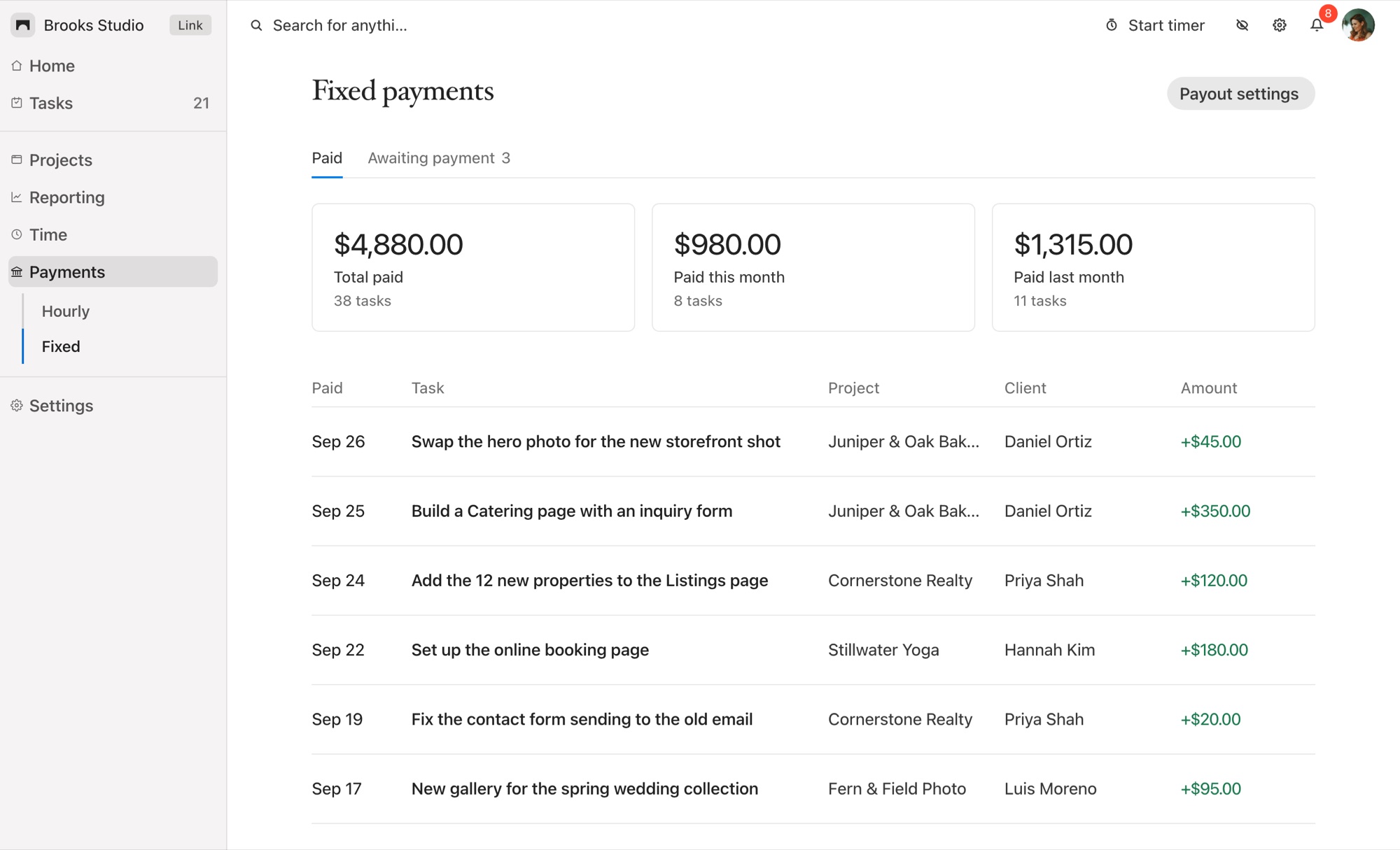
Squarepaste is priced by number of client sites, from $19 a month for five sites. See plans and pricing. Every plan starts with a 14-day free trial, no card needed.
Common Questions
How much does a Squarespace website cost per month?
From $19 a month on the Basic plan billed annually, or $25 month to month. Core, the most common plan for small businesses, is $29 a month billed annually or $39 month to month.
How much does a Squarespace website cost per year?
$228 to $1,188 a year for the plan, billed annually, plus about $20 a year for a domain after the free first year, and any email or scheduling add-ons.
Is Squarespace cheaper than hiring a web designer?
Building it yourself costs only the plan and domain. A designer adds a one-off build fee, usually from a few hundred to several thousand dollars, but you still pay Squarespace for the plan either way.
Does a Squarespace website come with a free domain?
Yes, for the first year on an annual plan. After that, common endings like .com renew at about $20 a year.
Which Squarespace plan do I need?
Basic covers a simple site. Choose Core if you'll sell products, need custom code or third-party tools, or want no transaction fee on store sales.
Related Reading




Chat directly
on Squarespace.
Squarepaste helps you stay connected with the clients you manage. Chat directly and make every conversation count.