A Marker.io alternative for the client side of the work.
Marker.io turns website bugs into tickets for developer tools like Jira and Trello. Squarepaste keeps the client conversation in one place: feedback, chat, tasks and payment inside their Squarespace site.

Squarepaste and Marker.io, Side by Side
Marker.io is built to capture website issues with technical detail and send them straight into a team’s tracker. It’s a strong fit when the people fixing things live in Jira. Squarepaste is built for the client relationship instead: the feedback, the conversation and the follow-up work stay together, with a price on the task when it’s billable, and there’s no tracker to connect.
Marker.io details describe how the product works and is sold, from marker.io. Prices are not quoted; check marker.io for current plans.
Why Squarespace Designers Choose Squarepaste
A conversation, not a ticket queue
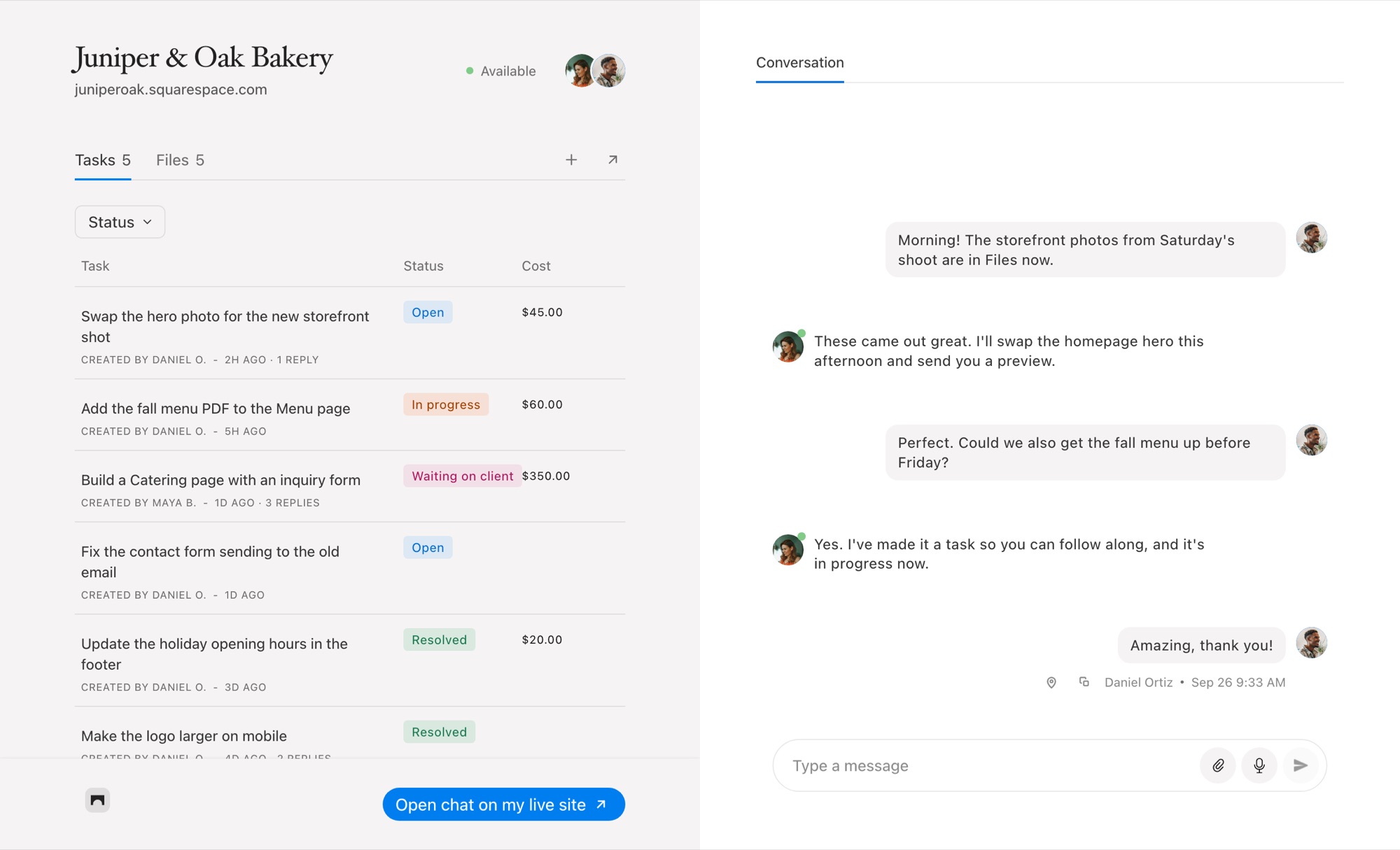
A client rarely files a bug. They ask a question, change their mind, send a photo. Squarepaste gives each project a chat beside its tasks, and any message can become a task when it turns into work.
Priced by client sites, not seats
Adding a teammate or a client to a Squarepaste project doesn’t add a seat. Plans count the Squarespace sites you look after.
Small fixes get billed
Put a fixed or hourly price on a task and your client pays it from the task, through your own Stripe account. See how client payments work.
When Marker.io Is the Better Choice
Choose Marker.io if your team works out of Jira, Trello or another tracker and wants structured bug reports with console logs and environment data, or if your reviewers are testers rather than clients.
If the feedback comes from Squarespace clients and you want to talk, track and bill in one place, Squarepaste is the better fit.
Common Questions
Is Squarepaste a Marker.io alternative for designers?
For Squarespace client work, yes. Squarepaste focuses on the client conversation rather than developer tickets, with chat, voice notes, files, tasks and payments in one place, from $19 a month for five client sites.
Does Squarepaste send tasks to Jira or Trello?
No. Tasks live in Squarepaste, with statuses, due dates and a board view.
Does Squarepaste capture screenshots with feedback?
Yes. Every task pinned on the page arrives with a screenshot of what your client saw, plus their browser, operating system and window size.



Chat directly
on Squarespace.
Squarepaste helps you stay connected with the clients you manage. Chat directly and make every conversation count.